
If you’ve ever asked a printer to “laminate” something and ended up with a very different result to what you pictured, you’re not alone. Lamination is one of the most misunderstood words in commercial print, and it’s almost always down to one thing: the word means something different depending on whether you work in a school or office, or in a print shop.
Let’s clear it up, so you know exactly what you’re getting (and what you’re paying for).
First, what does “lamination” actually mean?
The word comes from the Latin lamina, meaning a thin plate or layer. To laminate something is simply to bond thin layers of material together, or to coat it in a protective layer.
That’s a broad definition — and it’s exactly why the confusion creeps in. Two very different processes both technically count as “lamination”, but they produce completely different results. In the trade we use more precise, standardised terms to keep everyone on the same page.
The office laminator = encapsulation
Picture the laminator that lives in the corner of every school and office. You slide your A4 sheet into a stiff plastic pouch, feed it through, and it comes out sealed in shiny plastic.
That machine is, according to Taskmaster, no less than the king of the stationery world — when the contestants were challenged to bring in the most magnificent stationery, Kerry Godliman brought in a laminator, and she and Greg Davies crowned it in perfect unison. It’s a genuinely handy bit of kit.
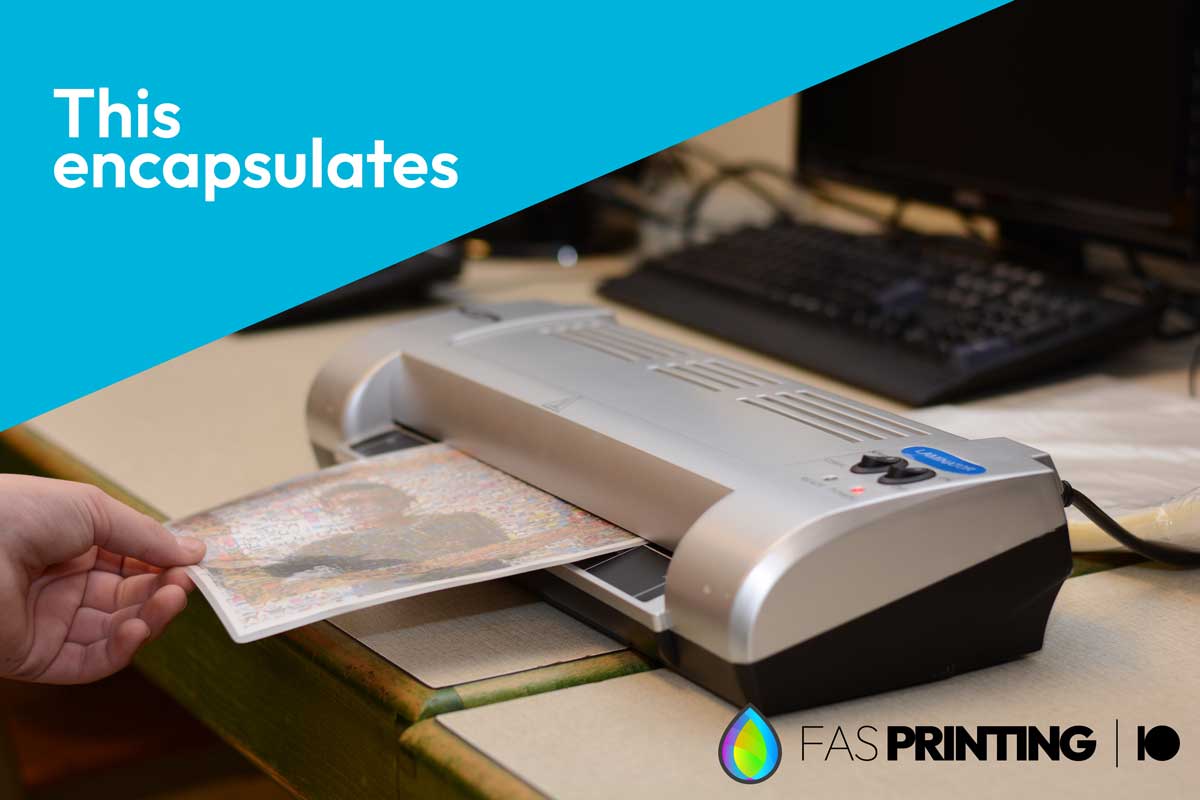
But here’s the key point: that isn’t what we mean by lamination in professional print. In the trade, what that machine does is called encapsulation.
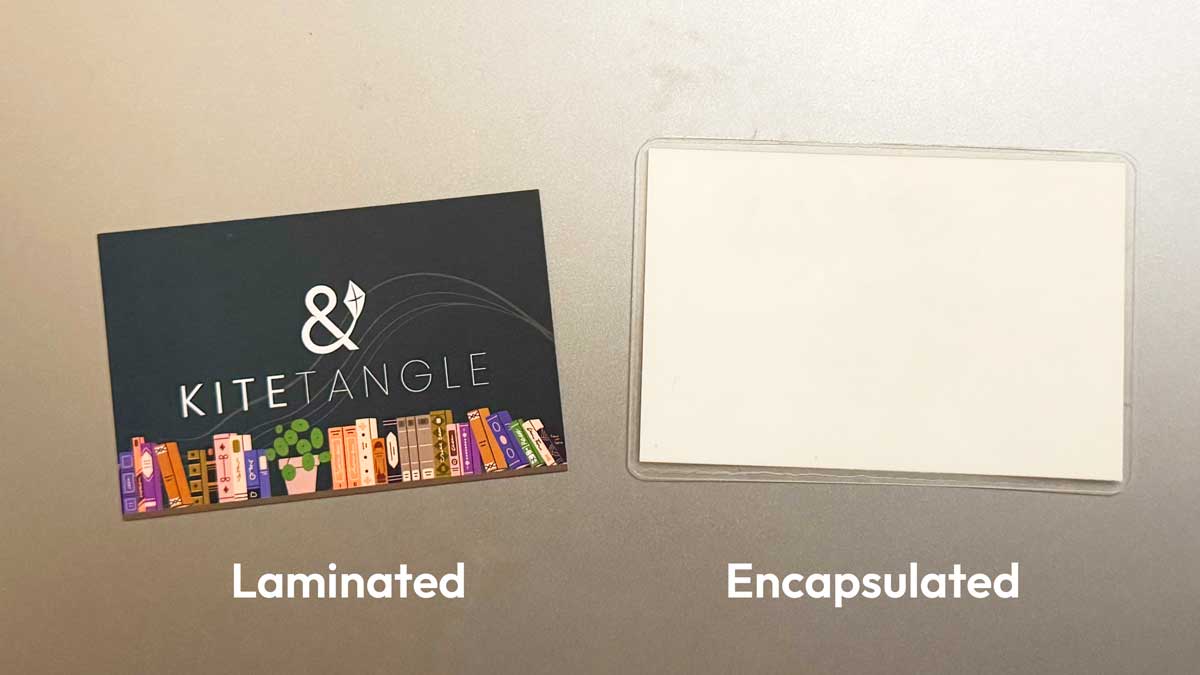
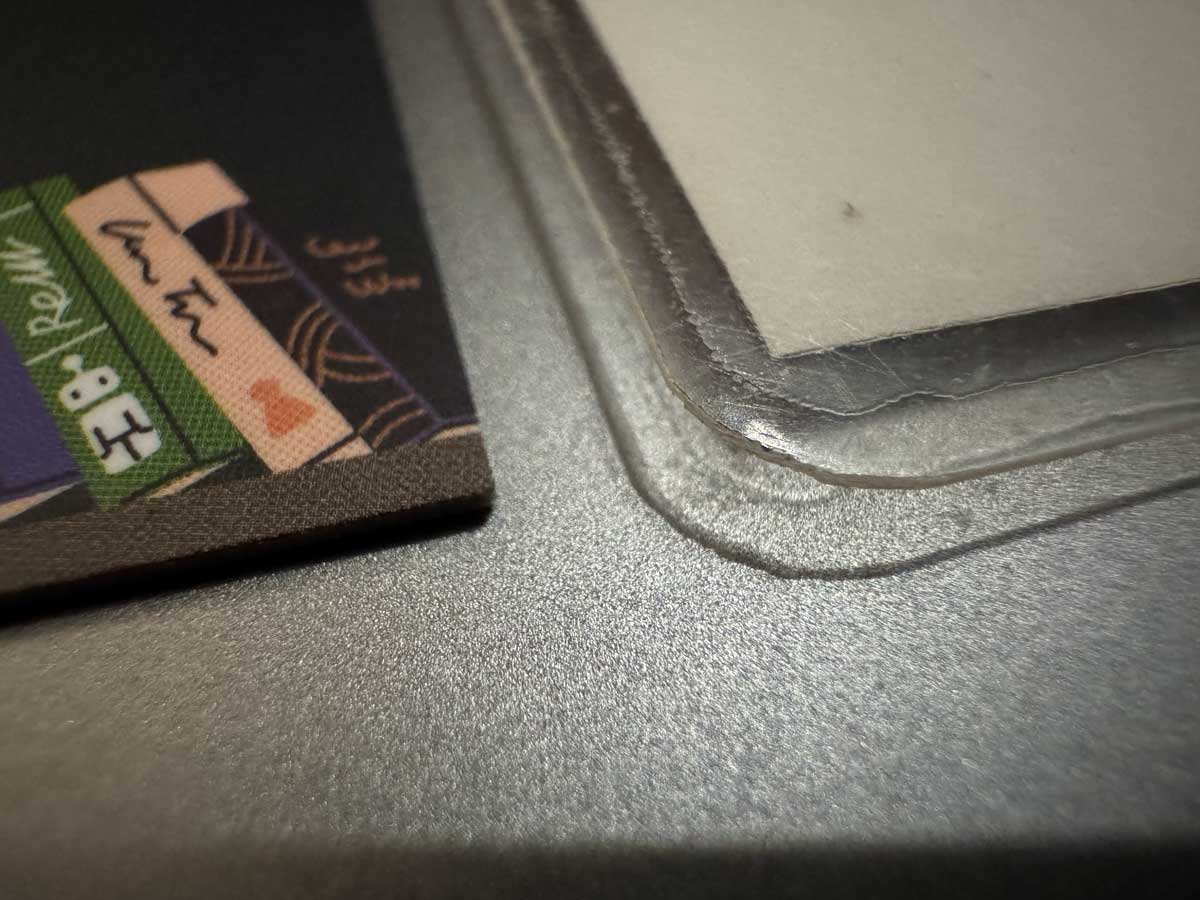
Encapsulation uses relatively thick plastic pouches — typically 75 to 250 microns per side — that are melted and bonded around the paper. The plastic seals right around the edges, and the finished item is stiff, glossy and often noticeably thicker than the paper inside it. It’s brilliant for menus, signs, ID cards and anything that needs to survive being wiped down, rained on or generally battered. But it’s a heavy-duty, plastic-first finish.
Our lamination = a fine film, applied to the print
Commercial lamination is a different thing entirely.
Instead of a thick pouch, we apply an ultra-fine plastic film — usually only around 12 to 30 microns thick (a micron is a thousandth of a millimetre). To put that in perspective, it’s thinner than the paper it’s going onto. Think of it a bit like a giant roll of very fine sticky tape, coated onto one side of the sheet after printing.
Because it happens after the print stage, it’s usually grouped in with what we call print finishing. And it does two jobs beautifully:
- Protection — it guards the ink and paper against scuffs, moisture and fingerprints, and makes colours look richer.
- Feel and finish — you can have a high-gloss shine that makes colours pop, or a soft-touch matt with a gorgeous velvety, almost suede-like feel.
That soft-touch finish in particular is why lamination reads as premium. It’s the same trick many high-end consumer brands use on packaging and product boxes to give that expensive, tactile first impression. On business cards, brochures, book covers and folders, it lifts the whole thing.
So when we quote you for lamination, this is what you’re getting: a fine, refined film that enhances the print — not a thick plastic encapsulation.
The green side
There’s an honest trade-off worth knowing about.
Laminated paper is harder to recycle. Because you’ve bonded plastic to paper, many kerbside recycling streams either won’t accept it, or they need the two materials separated first — which means peeling the film off the paper by hand. We’ve done plenty of that over the years, and believe us, it takes ages.
Unlaminated paper, by contrast, goes straight into standard paper recycling with no fuss.
None of this makes lamination “bad” — it just means it’s a choice worth making on purpose rather than by default.
So, which should you choose?
Here’s the simple rule of thumb:
Choose lamination when longevity matters. Book covers, menus, presentation folders, premium business cards, anything people will keep and handle repeatedly, or anything you want to feel high-end. The protection and the finish earn their keep.
Choose unlaminated when you want to keep it eco-conscious. Flyers, leaflets, short-run promotional pieces and anything likely to be recycled soon after use are better left uncoated, so the paper can go straight into recycling. Many uncoated and lightly coated stocks look and feel lovely on their own, too.
And if you want the premium feel and the green credentials, ask us about the alternatives — from biodegradable and recyclable film options to design tricks like spot UV or a heavier uncoated stock that add impact without the plastic.
TL;DR – The short version
| Term | What it is | Thickness | Best for |
|---|---|---|---|
| Encapsulation | Thick plastic pouch sealed around the paper (the office laminator) | ~75–250 microns per side | Menus, signs, ID cards, wipe-clean durability |
| Lamination | Fine film coated onto one side of the print | ~12–30 microns | Book covers, business cards, brochures, a premium feel |
| No lamination | Bare printed paper | — | Recyclable, eco-friendly, budget-friendly print |
Not sure which is right for your job? That’s exactly the kind of thing we’re happy to talk through. Get in touch and we’ll point you to the finish that fits the piece, your budget and your priorities.